Location of this document: https://carnegie-observatories.github.io/swope/Swope/scripts.html
Create a plain text file (ASCII) in $HOME using your favourite editor. Any parameter not given in the script will be taken from the GUI. The Swope-GUI supports the followings commands:
Example: linearity,
a script that runs Carlos' linearity test.
This simple script assumes that you set the filter (v) and
exposure type (dflat) via the GUI.
Note: The Focus exposure type can not
be used within a script; use focus_auto instead.
It runs a Focus (auto) sequence
with the current exptime and loops around center
(default: the current focus) in steps of step (default: the
focusAutoStep preference), and waits until it has finished;
a failed focus move also stops the script.
The exposure type stays Focus (auto): set exptype
before the next start, or start opens the Center/Step dialog.
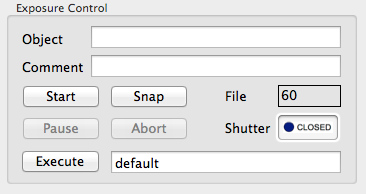
Enter the filename into the edit-box to the right of the Execute button and press the Execute button.
You may copy the script(s) to the
/Users/Shared/Library/Application Support/Swope/Scripts
directory where it will "survive" an account reset and be
available for your next run.
This is the default path for the Execute script
button. If a macro does not exist there the GUI will try
to find it in $HOME.
2014-08-27, Christoph C. Birk, Carnegie Observatories